


Processor (CPU): The Performance Engine
Your laptop’s processor functions as its core component because it determines the device’s speed and operational smoothness. The Intel Core i5 alongside AMD Ryzen 5 and Apple M3/M4 processors from recent generations provide sufficient performance for daily activities including web browsing and office work and video streaming. The target audience for Intel Core i7/i9 and AMD Ryzen 7/9 or Apple M-series chips includes power users and gamers and professionals who work with demanding software applications including video editing and 3D modeling. Entry-level CPUs (Intel Core i3 or AMD Ryzen 3) serve their purpose best when performing basic tasks or running secondary machines. You should select a CPU according to your workload needs because using an expensive latest processor will not provide the best value when your requirements are basic.
RAM: Multitasking Muscle
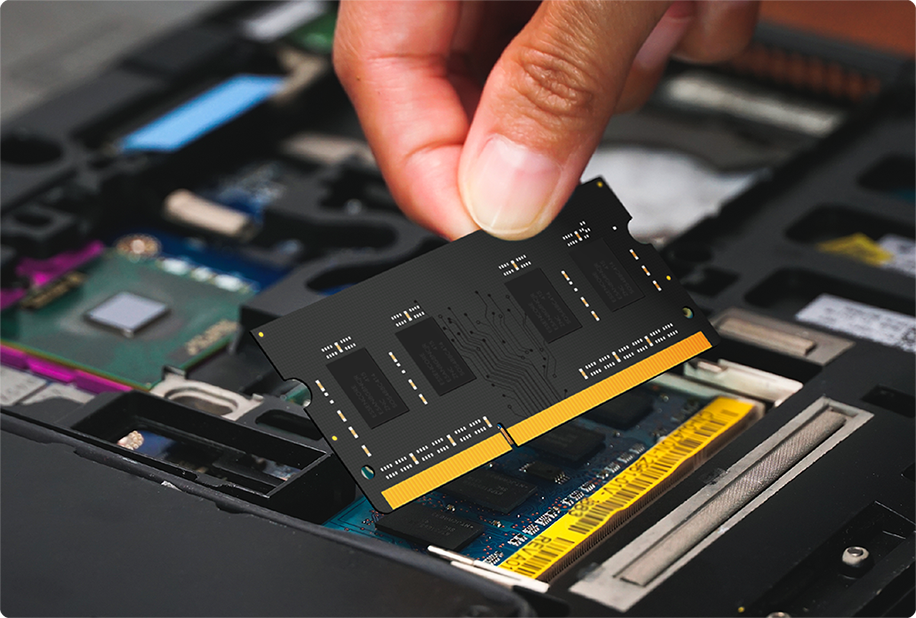
RAM determines how many applications you can run simultaneously without slowdowns. Most users should select 16GB of RAM because it provides optimal performance while securing their laptop for upcoming software requirements. Users who do not require advanced performance can operate with 8GB of RAM but should avoid lower amounts for most tasks. Users who need high performance in gaming and content creation and large file management should consider 32GB or more RAM while the typical user finds 16GB to be both practical and budget-friendly.
Storage: Speed and Capacity
Modern laptops no longer use traditional hard drives because solid-state drives (SSDs) provide faster operation and longer durability and silent operation. A 256GB SSD provides enough storage for regular users who need to store documents and photos along with light applications but gamers and creative professionals along with media library owners require 512GB or more. The use of eMMC storage in laptops should be avoided because it provides significantly reduced performance. Users who want to enhance their daily usage experience should maintain sufficient fast onboard storage since external drives and cloud storage help supplement internal capacity.
Display: Resolution and Quality
A display that combines sharpness with vibrant colors improves the entire laptop experience. The absolute minimum display resolution should be Full HD (1920 x 1080) while content creators and users who need extra clarity should choose 2K or 4K resolutions. Gamers need to check refresh rates because 144Hz and above results in better visual fluidity. The display quality of OLED and IPS panels exceeds basic LCDs because they produce better color representation along with improved viewing angles. Users who want a balance between mobility and functionality should choose between 13-14 inches but those who work at desks prefer 15-16 inches or larger displays.
Graphics: Integrated vs. Dedicated
The majority of users who stream video or perform light photo editing tasks can use integrated graphics (iGPU). Creative professionals together with gamers should choose dedicated GPUs including Nvidia GeForce RTX 40/50 series and AMD Radeon 7000 series because they deliver superior gaming and graphic performance. Users who do not require high performance can rely on the current integrated graphics solutions.
Battery Life and Build Quality

Users who need to work outdoors must choose laptops with batteries that last at least 10 hours. Your selection of build quality and keyboard comfort together with port selection which includes USB-C, USB-A, HDMI and SD card slots will enhance versatility. Your daily experience becomes much better when you incorporate features like a 1080p webcam along with sturdy hinges and a comfortable trackpad.
Specs That Matter Less
RGB lighting and ultra-thin bezels along with unneeded bundled software do not matter to you when choosing your next device. The essential features should always come first when choosing your laptop while build quality remains the top priority. You can find a laptop that meets your needs and remains durable when you select the right processor along with suitable RAM and storage and display and battery life.